AI Inventory Planning is here > Watch the demo

Your inventory operations. Now in Claude AI.

GoodDay's MCP integration connects your inventory, purchase orders, and sales orders directly to Claude so you can go from question to action in one conversation.

Request a Demo
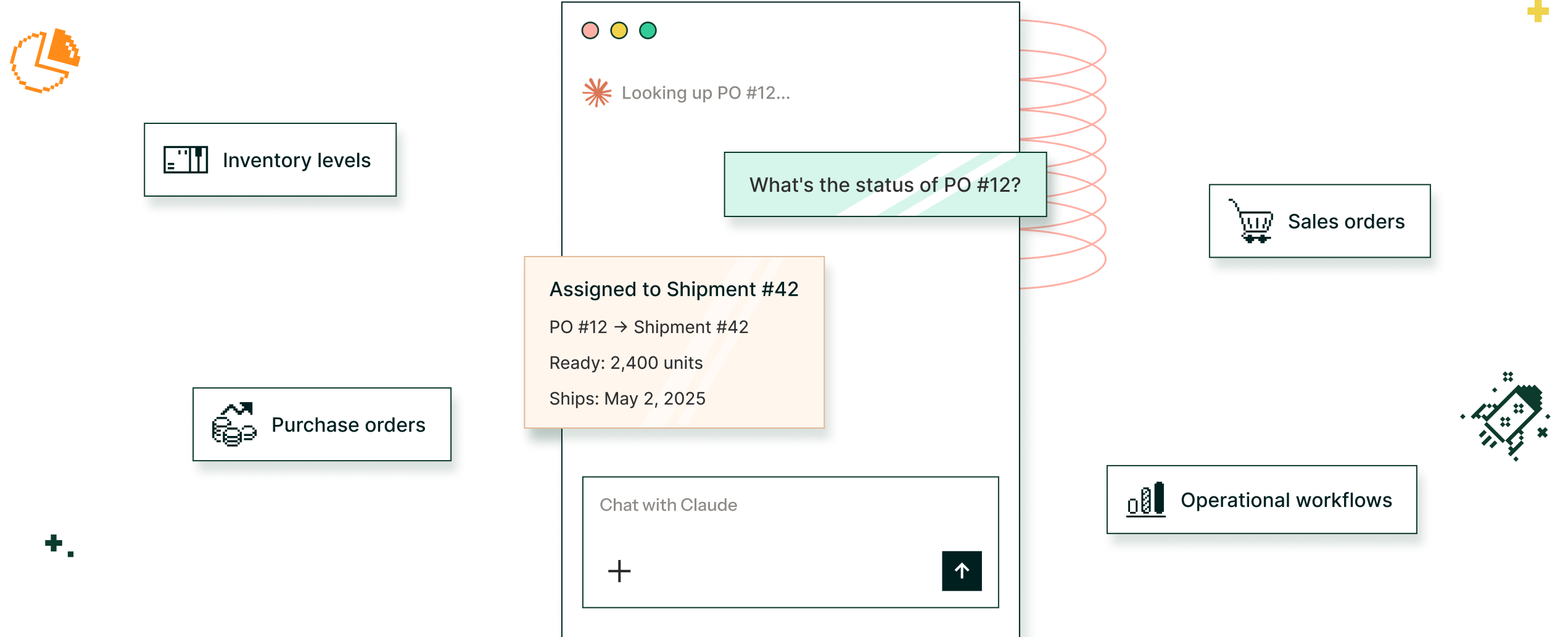
Soft orange and pink gradient backgroundChat with Claude asking for the status of PO #12, answered with PO #12 assigned to Shipment #42, 2,400 units ready to ship May 2, 2025, surrounded by inventory levels, purchase orders, sales orders and operational workflows.Diagram showing integration of various business icons linked to chatbot interface querying purchase order status, displaying shipment details for PO #12.
Powering inventory operations for the fastest growing brands on Shopify.
How It Works

One connection. Your entire operations in Claude.

GoodDay MCP uses the Model Context Protocol, an open standard for connecting AI models to live data sources. No exports. No syncing. No technical setup required.

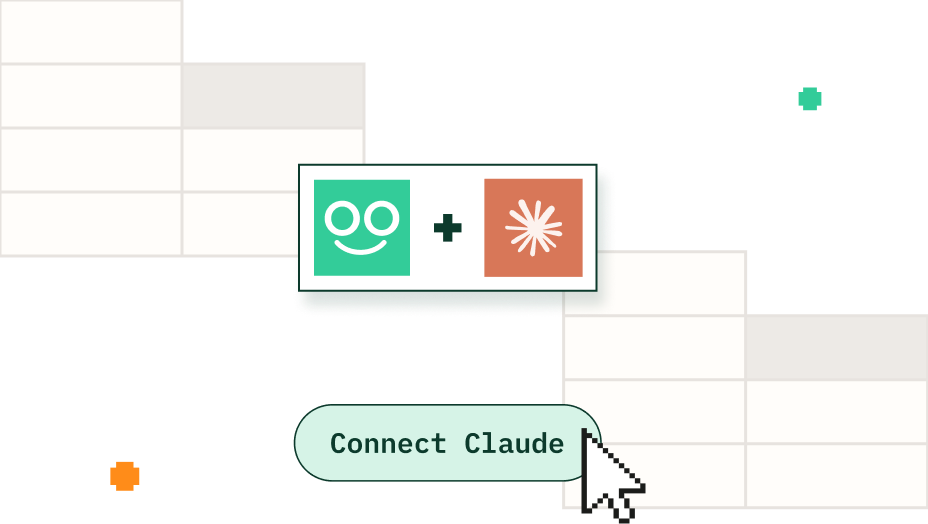
GoodDay logo plus Claude logo, with a Connect Claude button.
Connect GoodDay to Claude

Set up the MCP connection in minutes. No engineering required. Your inventory, PO, and sales data available immediately.

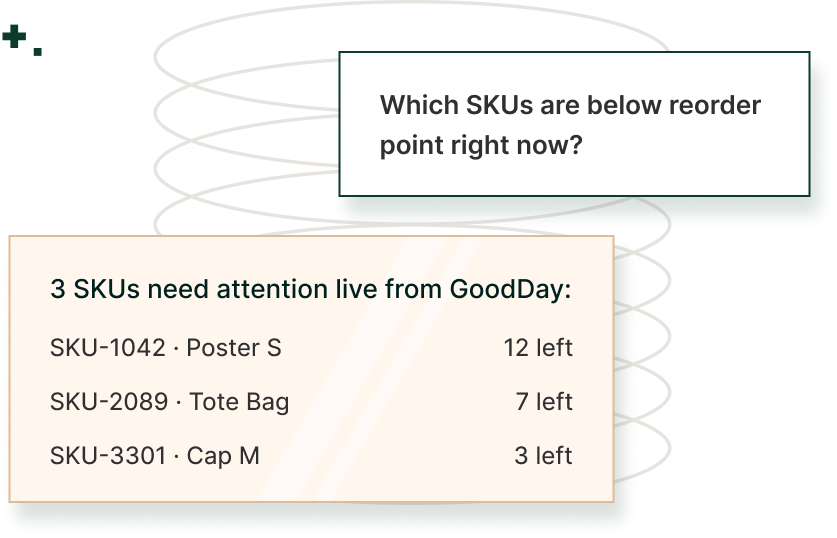
Question asking which SKUs are below reorder point right now, answered live from GoodDay: SKU-1042 Poster S with 12 left, SKU-2089 Tote Bag with 7 left and SKU-3301 Cap M with 3 left.
Ask anything in plain language

Just ask. GoodDay MCP pulls real-time data from GoodDay and gives you a direct, accurate answer instantly.

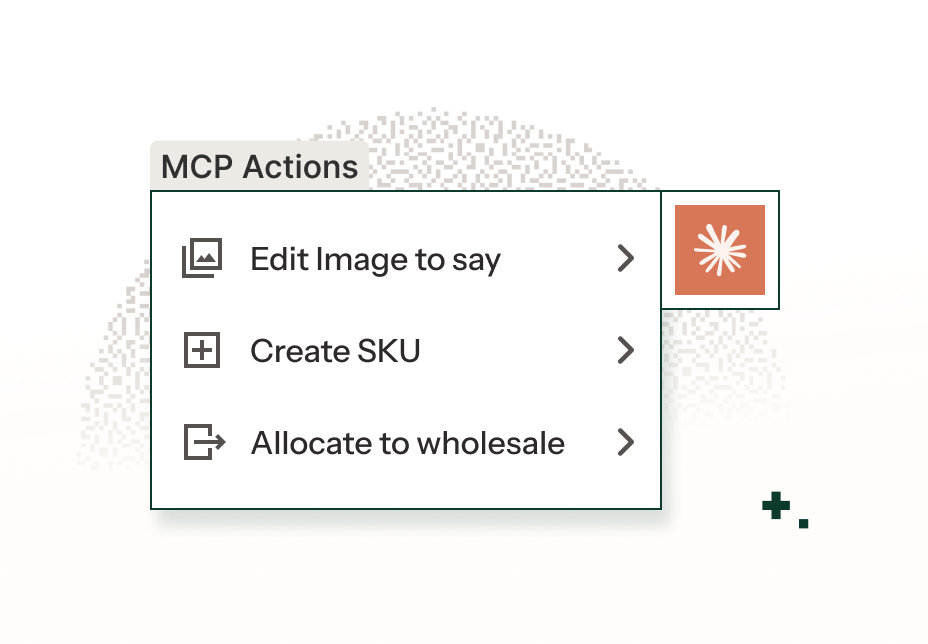
MCP Actions menu with Edit image, Create SKU and Allocate to wholesale, next to the Claude logo.
Act on the data, right from Claude

Create a PO. Allocate inventory. Update sales orders. Go from question to action without switching tabs.

What GoodDay MCP can do

Read it. Understand it. Act on it.

GoodDay MCP covers the full operational loop, not just data lookups.

REAL-TIME VISIBILITY

Inventory Intelligence

Get instant answers about your inventory across every location, channel, and SKU in real time, no report-building required.

Try asking
01
How much inventory do I have of SKU101 across all warehouse locations?
02
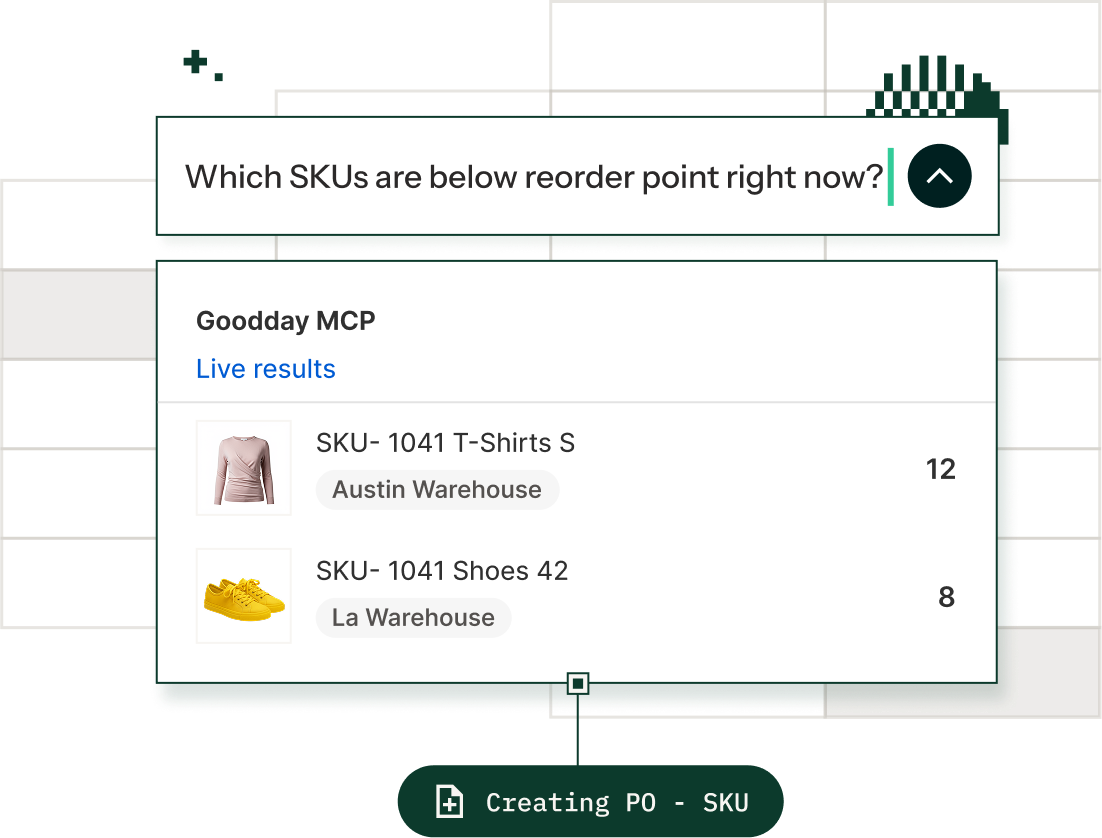
Which SKUs have inventory below our reorder point right now?
03
Is this SKU arriving on any open POs soon?
04
Show me inventory aging for my top 10 SKUs.
GoodDay MCP live results answering which SKUs are below reorder point, listing T-Shirts S at the Austin warehouse and Shoes 42 at the LA warehouse, with a Creating PO step.
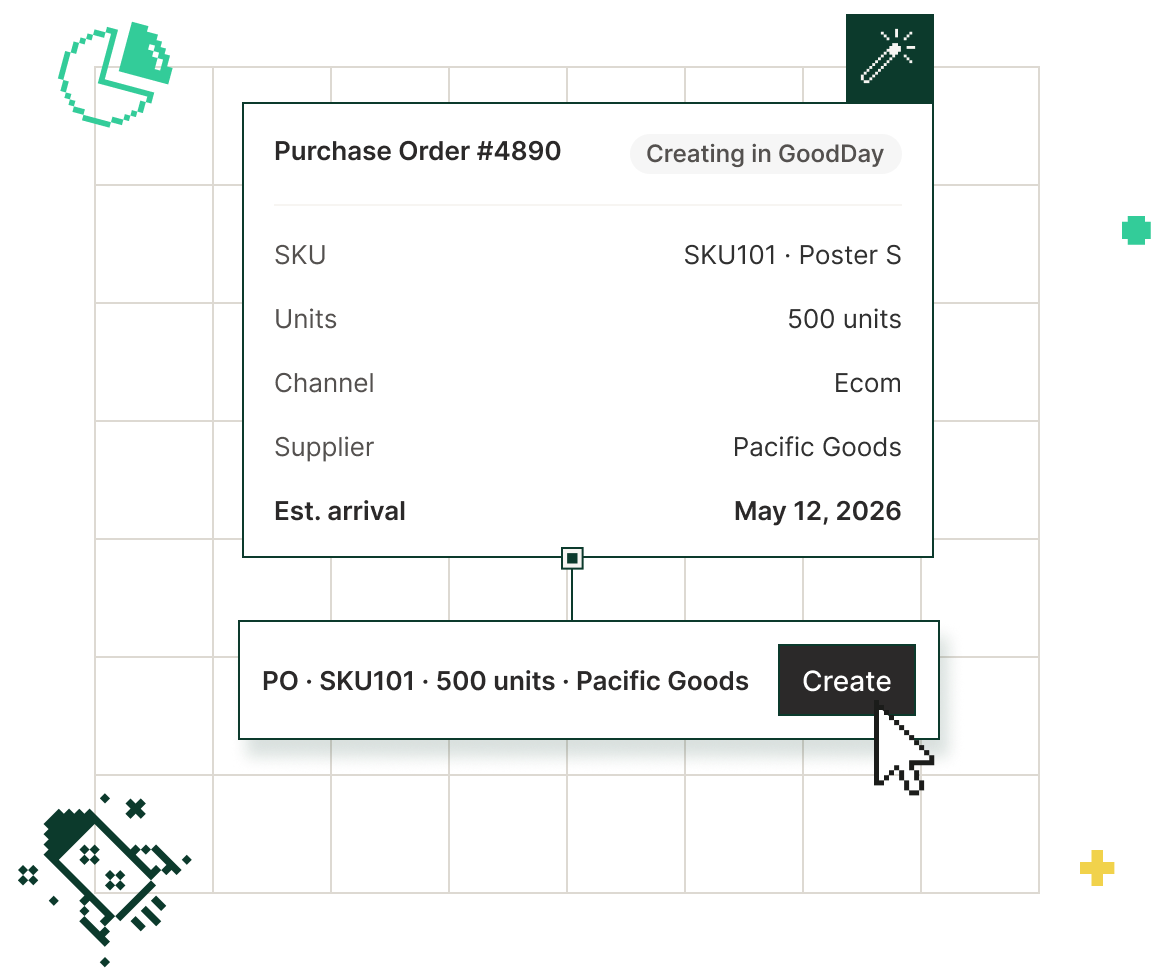
Purchase Order #4890 being created in GoodDay for 500 units of SKU101 Poster S for ecommerce from Pacific Goods, arriving May 12, 2026, with a Create button.
analyze, edit and create POs

Purchase order management

Query and act on your PO pipeline directly from Claude. Check status, see what's arriving, and create new orders on the spot.

Try asking
01
What open POs am I expecting in the next 30 days?
02
How many units of SKU101 are on order?
03
Create a PO for 500 more units of SKU101 for ecom.
04
What's the receipt status on PO #4821?
review and allocate inventory for wholesale

Sales order fulfillment

See which orders you can fulfill today, understand blockers, and allocate inventory, all from a single conversation with Claude.

Try asking
01
What open sales order have enough inventory to fulfill?
02
Show me all open order for Nordstrom.
03
Allocate available inventory to the Nordstrom order.
04
What's blocking our largest open sales order?
Units by order allocation across Nordstrom Fall, REI Fall 1, Amazon FBA and Target DTC, with an Allocate to Nordstrom action.
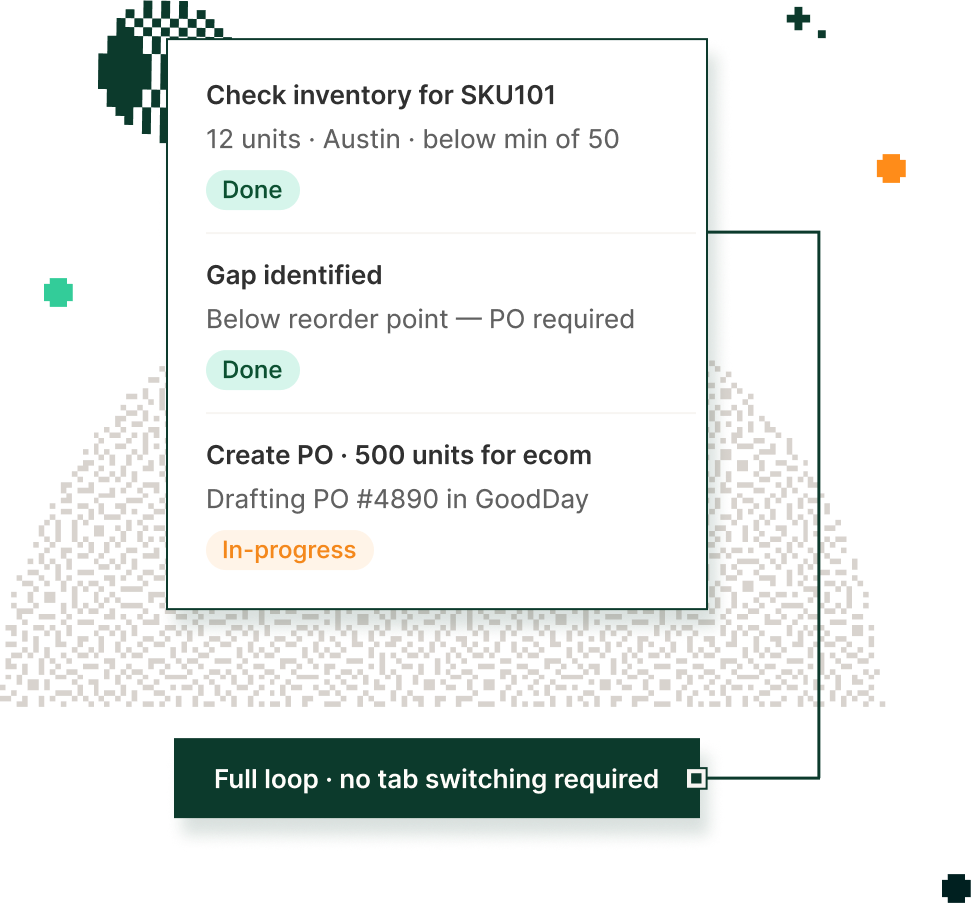
Workflow checklist: inventory checked for SKU101 at 12 units in Austin, below the minimum of 50, gap identified, and PO #4890 for 500 units being drafted in GoodDay, with the note Full loop, no tab switching required.
Inventory operations best practices

Operational workflows

Go end-to-end, from identifying a gap to taking action, without ever leaving Claude. GoodDay MCP handles the full loop.

Try asking
01
Check SKU101 inventory and create a PO if below reorder.
02
Which sales orders can we ship this week given current stock?
03
Review my open POs and flag anything arriving late.
04
Show me all adjustment activity in the last 7 days.
Why GoodDay MCP

Built for Shopify brands.
Not adapted for them.

Other ERPs are adding AI connectors to general-purpose platforms, but they don’t understand inventory and Shopify. GoodDay MCP was built specifically for how omnichannel Shopify brands actually operate.

Pixel storefront icon
SHOPIFY-NATIVE

Embedded in Shopify, not bolted.

GoodDay lives inside Shopify. Your inventory data reflects your real DTC, wholesale and retail reality, not a generic ERP model that requires months of configuration to match how you work.

Pixel filing box icon
INVENTORY-FIRST

Purpose-built for inventory operations.

GoodDay MCP focuses on what brand operators need: inventory, POs, and sales orders, not SQL queries. The daily workflows keep your business running.

Pixel forward arrow in a circle icon
READ + WRITE

Ask it. Then act on it. From question to action.

Create POs, allocate inventory, and update sales orders directly from Claude. You can actually close the loop in one conversation, not by going back into your ERP to act on what Claude told you.

Pixel chat bubble icon
OPERATOR-READY

Any team member can use it. No SQL required.

No data warehouse setup. No technical skills. No IT team required. Just ask in plain English. GoodDay MCP is built for the operator who needs an answer in the next five minutes.

Everything you need to know

What data does the integration include?
Plus icon

The integration gives you access to inventory data, purchase orders, sales orders, and item information from GoodDay and Shopify with the ability to create and edit POs and sales orders directly from Claude.

Is this available to all GoodDay customers?
Plus icon

Yes. All current GoodDay customers can connect the MCP integration. Talk to your account team and you can be set up.

Do I need technical knowledge to use it?
Plus icon

Not at all. If you can type a question, you can use GoodDay MCP. Just ask in plain English. Claude handles the rest.

What makes this different from exporting data to Claude?
Plus icon

Exported data is stale the moment it leaves GoodDay. The MCP integration is a live connection — when you ask about inventory, you get today's real answer, not last week's export.

Can I take actions, or just ask questions?
Plus icon

Both. You can read data (inventory levels, PO status, sales order details) and act on it (create POs, allocate inventory, update sales orders) all from the same Claude conversation.

What about data security?
Plus icon

GoodDay MCP follows the same security standards as the rest of GoodDayOS. Your operational data is only accessible through your authenticated connection.

Quotation mark icon

"GoodDay is ushering ERP into the agentic era. Shopify brands finally have an AI-powered OS designed for how they actually operate."

Alex Rosen, Managing Partner, Ridge Ventures
Alex Rosen
Managing Partner, Ridge Ventures

See

GoodDay logo plus Claude logo

in action.

Book a demo and we'll show you what your operations look like in AI. GoodDay MCP is live and available to all customers today.

Pixel rocket icon